Configuring GEOIP Enrichment Source
Configuring GEOIP Enrichment Source involves two steps:
Adding GEOIP Enrichment Source
Adding Enrichment Policy
Adding GEOIP Enrichment Source
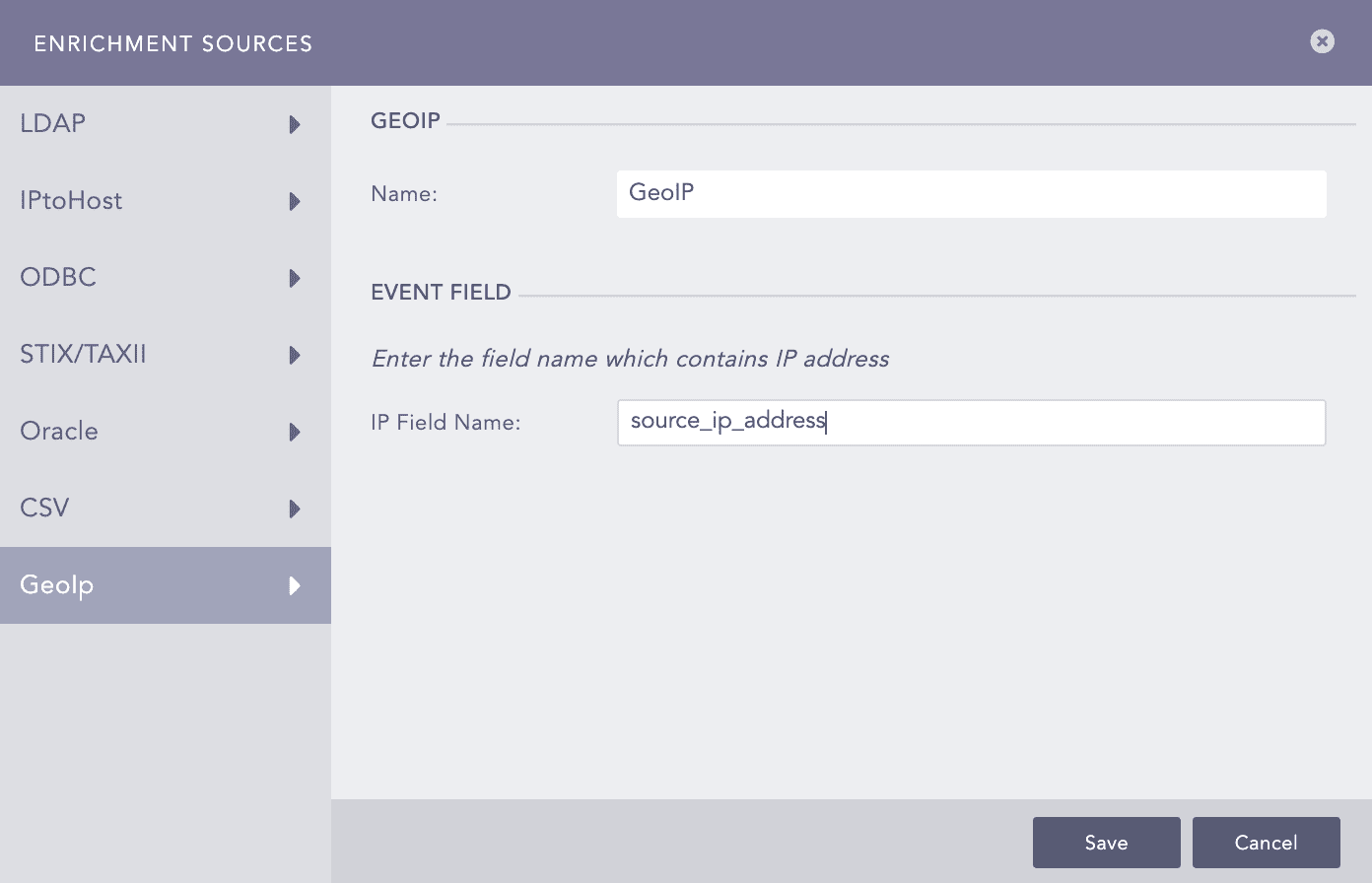
Go to Settings >> Configuration >> Enrichment Sources from the navigation bar.
Click ADD.
Select GeoIp.
Enter a Name.
In IP Field Name, enter the field which contains the IP Address.
Click Save.
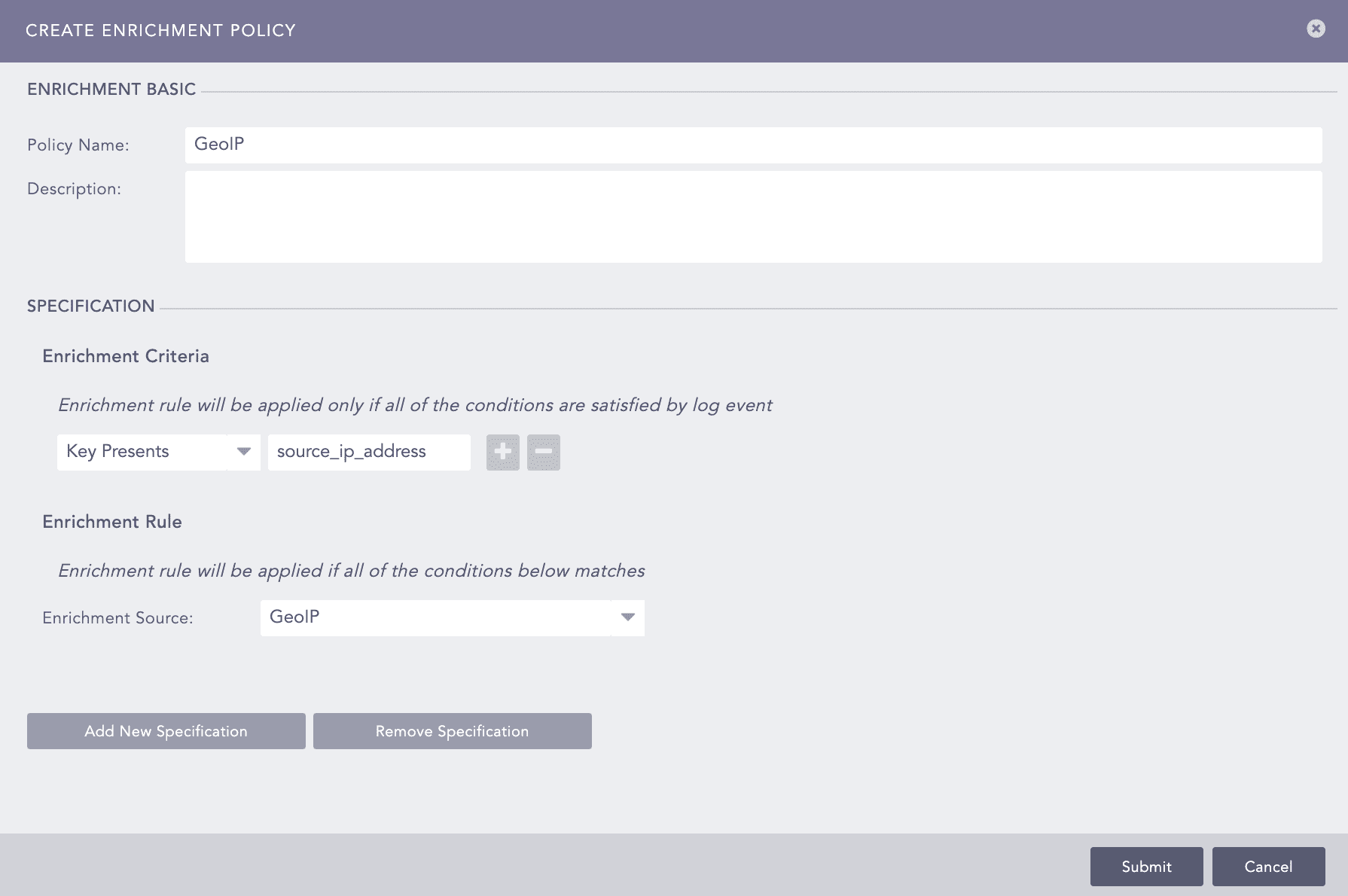
Adding Enrichment Policy
In the example below, you can see GEOIP used as an Enrichment Source. If a log contains the field source_ip_address, Logpoint enriches the log with the geographical data of source_ip_address.